15.1. Speed
[2D, 3D]: This is the default movement control (See Fig. 15.1.1.and Fig. 15.1.2.), which specifies the speed and direction of a object. The speed may be defined in one way of hte following ways.
-
Constant
-
Function of stroke of the primary object
-
Function of time
-
Function of force (load) on the object
-
Proportional to the speed of another object
-
Sinusoidal function
When an object is rigid, the entire object will move at the assigned speed. When the object is elastic, plastic, or porous, each node with a movement boundary condition assigned will maintain the assigned speed. Note that movement boundary conditions should never be assigned for all surface nodes. In general, no more than 1/2 to 2/3 of the boundary nodes on an object should have movement boundary conditions.
Symmetry planes are defined with V=0 boundary conditions perpendicular to the applied surface. Due to limitations of border extraction during remeshing, parallel symmetry planes should be defined using at least one rigid symmetry surface, instead of V=0 boundary conditions on both sides of the object.
Current Force field is added for all movement types and user can observe the current force at different steps.
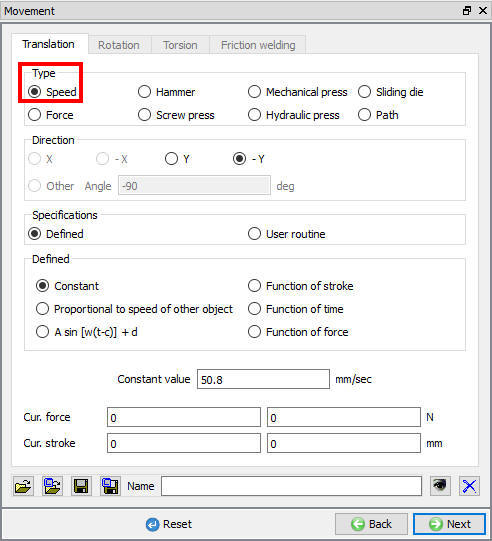
2D Speed movement contros window
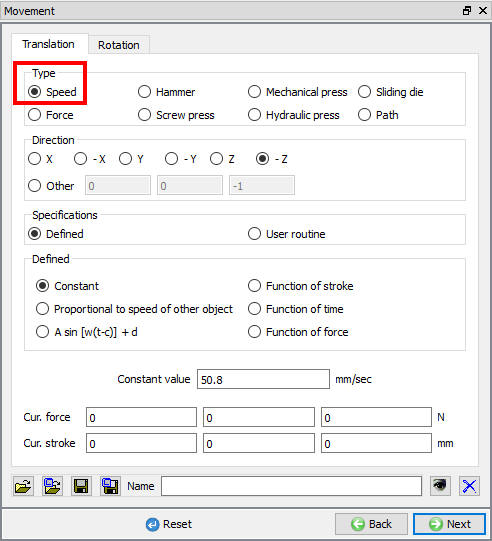
3D Speed movement contros window
Related Topics: